Tuesday, February 27, 2018
Best download managers for windows 2016
Best download managers for windows 2016

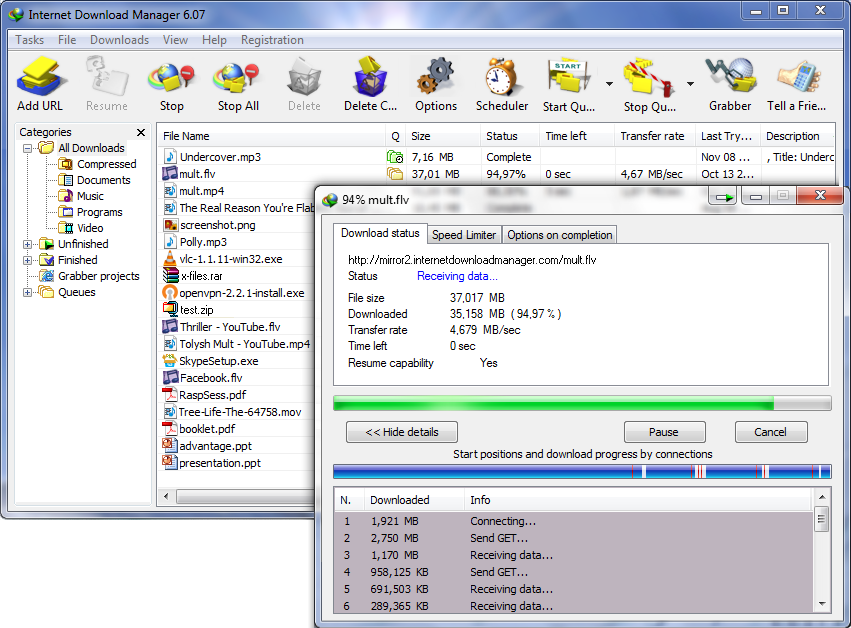
1. Internet Download Manager (IDM)

IDM is the most widely used download managers by internet users. IDM can be integrated in all the popular browsers and it also allows drag and drop downloading feature. It is most efficient in terms of speed, ease of use, modern features, etc. This also serves the purpose of video downloader as it displays download option on the videos that are there on webpages. Moreover it keeps different files in different categories. But it is a shareware, that is it comes with a price, you can use it for one month after which you have to buy IDM.
Homepage
2. Eagleget

 | |
| Main Window |
 |
| Media Grabber |
Homepage
3. Download Accelerator Plus (DAP)

There is both free version and Premium version of DAP. Free version comes with certain limitations than premium version.
 | ||
| DAP free version |
 |
| DAP premium version |
Homepage
4. Free Download Manager

FDM can boost all your downloads up to 10 times, process media files of various popular formats, drag&drop URLs right from a web browser as well as simultaneously download multiple files! FDM is compatible with the most popular browsers Google Chrome, Mozilla Firefox, Microsoft Edge, Internet Explorer and Safari.
There is also a version 5 available with new looks and features included.

Homepage
5. Jdownloader 2

One needs to make sure they already have Java installed onto their PCs in order to run this app. If this prerequisite is not detected, the application offers to automatically download and install it. The two main targets of JDownloader is to boost the speed of your downloads and to reduce the time it gets to start the download, i.e. locate the link and enter the captcha/password. This program is especially useful if you are accustomed to grab packages stored on file hosting servers which have a delay until the download actually begins. To wrap it up, this application is a valuable help to all those who often rely on webhosting sites to get their downloads, and who might even have Premium accounts on these sites. It lets you quickly get acquainted with all of its features due to the friendly interface, as well as offering popup tips for enhanced aid. It can eat you computer memory.

alternative link download
